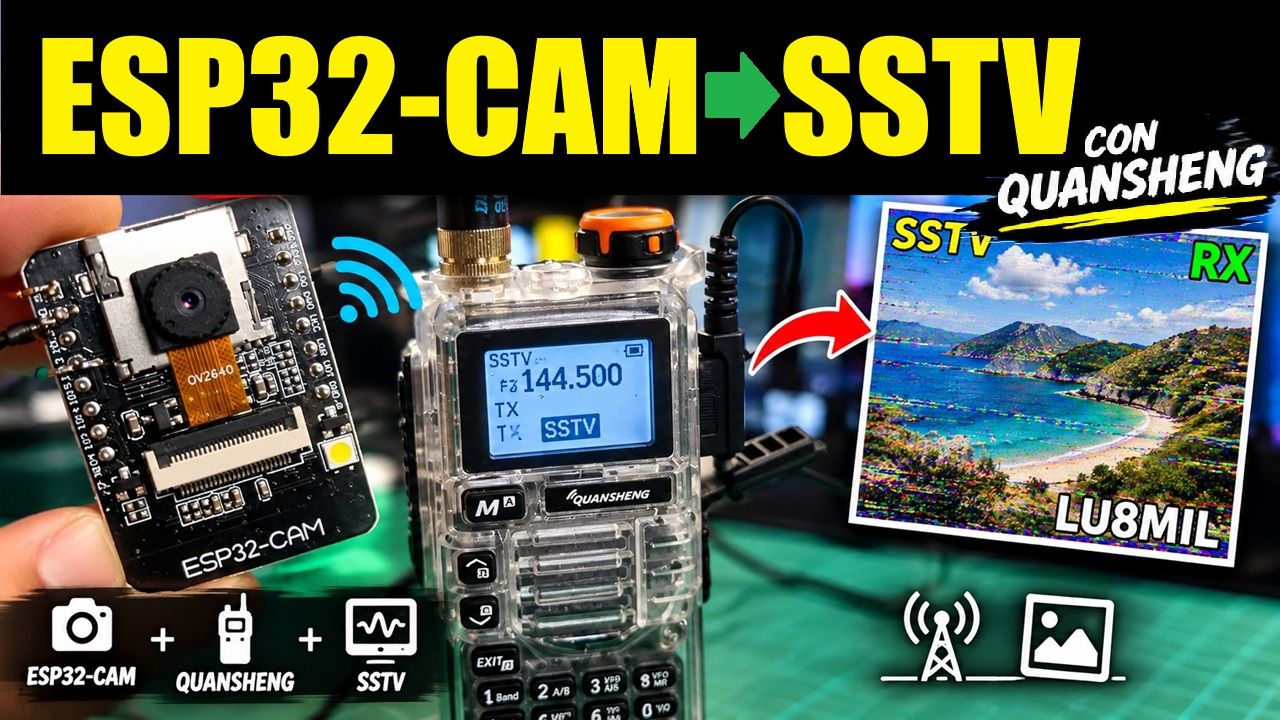
Hace un tiempo que tenía dando vueltas un ESP32-CAM de esos genéricos, los grises con antena que salen unos pocos dólares. Y también un Quansheng UV-K5, que a esta altura es casi el handy oficial del hobby. La idea que me quedó picando era simple de enunciar: que la cámara saque una foto y la mande por radio, sin computadora en el medio.
El resultado es esto: un ESP32-CAM que levanta su propia red WiFi, sirve un panel de control desde el navegador, saca una foto, la codifica en SSTV y la reproduce como audio hacia el micrófono del handy. Del otro lado, cualquiera con una app decodificadora ve la imagen aparecer línea por línea.
El video
Si preferís verlo funcionando antes que leer, grabé un video donde muestro el proyecto de punta a punta: el montaje, cómo queda el acople al handy, el panel de control desde el celular y una transmisión completa con la imagen apareciendo línea por línea del otro lado. También aprovecho para contar con más detalle los tropiezos que menciono más abajo, que es la parte que no suele aparecer en los tutoriales.
Si el video te sirvió, un like y una suscripción ayudan bastante a que esto llegue a más colegas.
Qué hace
- Saca una foto y la transmite en SSTV, todo desde el ESP32, sin PC.
- Tres modos: Robot 36 (~36 s), Martin M1 (~114 s) y Scottie S1 (~110 s), elegibles desde el panel.
- Superpone el indicativo sobre la imagen, así la transmisión sale identificada.
- Transmisión automática cada X minutos, para dejarlo funcionando solo.
- Panel web propio: el ESP32 crea la red
ESP32-SSTVy sirve todo en192.168.4.1. No necesita router ni internet, que para uso de campo es justo lo que uno quiere. - Sin cable de PTT: el handy se dispara solo por VOX.
Cómo funciona, en cuatro pasos
- La cámara saca una foto de 320×240.
- El firmware la convierte a RGB565 y le dibuja encima el indicativo.
- Recorre la imagen píxel por píxel y va generando tonos entre 1500 Hz (negro) y 2300 Hz (blanco), con pulsos de sincronismo entre líneas. Eso es SSTV: la imagen viaja como frecuencia de audio.
- Ese audio sale por un pin del ESP32, se filtra, se atenúa y entra al micrófono del handy. El VOX detecta el tono y transmite.
Lo interesante es que del otro lado no hace falta nada especial: cualquier app de SSTV en el celular, apuntando el micrófono al parlante del handy, reconstruye la imagen.
El hardware
El ESP32-CAM entrega el audio por GPIO13, como una onda cuadrada de 3,3 V. Eso no se puede enchufar directo al micrófono del handy: hay que redondearla y bajarle el nivel unas trescientas veces.
  GPIO13
     │
  [ R1 2.2k ]
     │
     ├────── C1 10nF ────── GND        ← filtro pasabajos
     │
  C2 (1-10 µF)                         ← bloqueo de continua
     │
     ├──────────────┐
     │              │
  [ pot 10k ]    cursor ───────────────→  TIP del conector de mic
     │
    GND

  GND del ESP32 ─────────────────────→  SLEEVE (masa del conector)
- R1 + C1 forman un filtro pasabajos que le saca los armónicos altos a la onda cuadrada. Como en SSTV la información va en la frecuencia y no en la forma de onda, una cuadrada bien filtrada decodifica igual que una senoidal.
- C2 bloquea la componente continua.
- El potenciómetro ajusta el nivel. Este es el ajuste crítico: arrancá casi al mínimo y subí de a poco mirando cómo decodifica. Si la imagen sale con ruido de color, estás sobremodulando.
Sobre la alimentación, que es donde más gente tropieza
No alimentes el ESP32-CAM desde el pin de 5 V del programador FTDI. No da la corriente que la placa necesita en los picos, y entra en un bucle de reinicio infinito antes de llegar a imprimir la primera línea por el puerto serie. Me costó un rato entender que el problema no era mi código.
Y una advertencia que me salió cara: el regulador de a bordo es un AMS1117, un lineal que disipa como calor toda la diferencia entre la entrada y los 3,3 V. Con la cámara y el WiFi encendidos, alimentando desde 5,5 V, eso es cerca de un watt en un encapsulado diminuto con muy poco cobre para disipar. El mío se quemó.
Si lo vas a dejar funcionando en serio, lo que conviene es saltear ese regulador: un convertidor buck (MP1584, LM2596) ajustado a 3,3 V, alimentando directamente el pin de 3,3 V. Un conmutado no disipa la diferencia como calor, así que el problema desaparece de raíz. Dos precauciones: ajustá el buck con el multímetro antes de conectarlo, y nunca conectes 5 V y 3,3 V al mismo tiempo.
Los modos
| Modo | Resolución | Duración | Cuándo usarlo |
|---|---|---|---|
| Robot 36 | 320×240 | ~36 s | El de todos los días. Ocupa poco canal. |
| Martin M1 | 320×256 | ~114 s | Mejor color, a costa de triplicar el tiempo de aire. |
| Scottie S1 | 320×256 | ~110 s | Similar a Martin, muy compatible. |
Robot 36 submuestrea la crominancia (manda color en líneas alternadas), mientras que Martin y Scottie mandan RGB completo. Se nota en el color, pero también en el reloj: casi dos minutos ocupando el canal es mucho. Para la transmisión automática cada pocos minutos, Robot 36 es el que tiene sentido.
Las tres piezas de código que importan
El sketch completo está al final, pero si solo vas a mirar tres cosas, que sean estas.
1. El generador de tonos
Acá está todo el truco. Dos detalles que parecen menores y en realidad son la diferencia entre que funcione y que no:
La fase es continua y se integra según el tiempo real transcurrido. Un píxel dura 0,275 ms, pero un ciclo completo a las frecuencias de SSTV tarda entre 0,435 y 0,667 ms — más que el píxel. Si uno generara ciclos enteros, cada píxel se pasaría de tiempo y la imagen se desincronizaría por completo.
Y el final de cada segmento se calcula como un instante absoluto desde el arranque de la transmisión, no como «ahora más la duración». Así el error nunca se acumula: si algo interrumpe, se pierde una muestra suelta pero la imagen sigue en hora.
static void sstvTone(float freqHz, float ms) {
  if (freqHz < 1.0f) freqHz = 1.0f;

  sstv_schedUs += (double)ms * 1000.0;
  uint32_t deadline = sstv_txStartUs + (uint32_t)(sstv_schedUs + 0.5);

  if ((int32_t)(micros() - deadline) >= 0) {
    sstvLateSegments++;   // ya se paso la hora: saltamos el segmento
    return;
  }

  while ((int32_t)(micros() - deadline) < 0) {
    uint32_t now = micros();
    uint32_t dus = (uint32_t)(now - sstv_lastMicros);
    sstv_lastMicros = now;
    if (dus > 5000) dus = 0;   // nos interrumpieron: resincronizamos

    sstv_phase += SSTV_TWO_PI * freqHz * ((float)dus * 1.0e-6f);
    if (sstv_phase >= SSTV_TWO_PI) sstv_phase = fmodf(sstv_phase, SSTV_TWO_PI);

    if (sstv_phase < SSTV_PI) SSTV_PIN_HIGH(); else SSTV_PIN_LOW();
  }
}
2. Una línea de Robot 36
Acá se ve la estructura del modo: el pulso de sincronismo, la luminancia píxel por píxel, y la crominancia submuestreada que alterna entre R-Y y B-Y en líneas sucesivas. El separador de 4,5 ms es el que le avisa al decodificador cuál de las dos viene.
// ============================================================================
// Robot 36 - VIS 8, 320x240, ~36 s
// Linea: sync 9ms@1200 | porch 3ms@1500 | Y 88ms | separador 4.5ms
//        (1500 si sigue R-Y, 2300 si sigue B-Y) | porch 1.5ms@1900 |
//        croma 44ms
// ============================================================================
static void sstvSendRobot36(const uint16_t *buf) {
  const float Y_PIXEL_MS = 88.0f / SSTV_IMG_W;    // 0.275
  const float C_PIXEL_MS = 44.0f / (SSTV_IMG_W / 2);

  sstvVisHeader(8);

  for (int y = 0; y < SSTV_IMG_H; y++) {
    bool lineIsV = (y % 2 == 0);   // pares: R-Y (Cr). impares: B-Y (Cb)

    sstvTone(1200.0f, 9.0f);
    sstvTone(1500.0f, 3.0f);

    for (int x = 0; x < SSTV_IMG_W; x++) {
      uint8_t r, g, b;
      sstvPixel(buf, x, y, r, g, b);
      float Y = 16.0f + 0.003906f * (65.738f * r + 129.057f * g + 25.064f * b);
      sstvTone(sstvLevelToFreq(Y), Y_PIXEL_MS);
    }

    // El separador es el que alterna e indica que croma sigue; el porch
    // queda fijo en 1900 Hz.
    sstvTone(lineIsV ? 1500.0f : 2300.0f, 4.5f);
    sstvTone(1900.0f, 1.5f);

    for (int x = 0; x < SSTV_IMG_W; x += 2) {
      uint8_t r0, g0, b0, r1, g1, b1;
      sstvPixel(buf, x, y, r0, g0, b0);
      sstvPixel(buf, x + 1, y, r1, g1, b1);
      float r = (r0 + r1) * 0.5f, g = (g0 + g1) * 0.5f, b = (b0 + b1) * 0.5f;
      float c = lineIsV
        ? 128.0f + 0.003906f * (112.439f * r - 94.154f * g - 18.285f * b)
        : 128.0f + 0.003906f * (-37.945f * r - 74.494f * g + 112.439f * b);
      sstvTone(sstvLevelToFreq(c), C_PIXEL_MS);
    }

    sstvProgressPct = (int)(100.0f * (y + 1) / SSTV_IMG_H);
  }
}
3. La tarea de transmisión
Este comentario es el resumen de varias horas perdidas:
void transmitTask(void *param) {
  SstvMode mode = (SstvMode)(uintptr_t)param;
#if !CONFIG_FREERTOS_UNICORE
  disableCore1WDT();   // la tarea idle del core 1 no correra durante la TX
#endif
  sstvSend(imgBuf, mode);
#if !CONFIG_FREERTOS_UNICORE
  enableCore1WDT();
#endif

  lastTxMs = millis();
  lastTxInfo = String(SSTV_MODE_NAMES[mode]) + " - " +
               String(sstvTotalMs / 1000.0, 1) + " s";
  Serial.printf("SSTV: %s terminado en %u ms (esperado ~%u ms), salteados: %u\n",
                SSTV_MODE_NAMES[mode], (unsigned)sstvTotalMs,
                (unsigned)(VOX_PREROLL_MS + 1000 + SSTV_MODE_MS[mode]),
                (unsigned)sstvLateSegments);
  vTaskDelete(NULL);
}
Lo que costó hacerlo andar
No quiero que parezca que salió a la primera, porque no fue así. Hubo un tramo largo en el que el handy transmitía perfecto, el audio sonaba a SSTV, y del otro lado no se decodificaba absolutamente nada.
El culpable resultó ser algo que no tenía nada que ver con la radio: el planificador de tareas del ESP32. La tarea que generaba el audio corría con la misma prioridad y en el mismo núcleo que la tarea principal de Arduino, así que el sistema operativo las iba alternando cada milisegundo. La generación de audio perdía la mitad del tiempo de CPU, y las líneas de la imagen, que deben durar exactos 150 ms, pasaban a durar 258. Con ese nivel de desincronización ningún decodificador puede reconstruir nada.
La solución fue mudar el servidor web al otro núcleo y darle al audio prioridad alta y un núcleo entero para él solo.
Hubo otros dos tropiezos memorables. Uno fue descubrir que el pin del DAC interno del ESP32 no existe físicamente en esta placa — es una pista interna que va al conector de la cámara y nunca llega a un punto soldable. De ahí que el audio se genere por software en GPIO13. El otro fue un tinte rosa en la vista previa que resultó ser dos funciones de la propia librería de la cámara interpretando el orden de bytes al revés entre sí.
Moraleja, si es que hay una: en un proyecto así, la mitad de los problemas no están donde uno los busca.
Verificación
Una cosa que ayudó mucho fue no confiar en el oído. Antes de dar por buena cada implementación, generé el mismo audio en la computadora y lo pasé por un decodificador escrito aparte, comparando la imagen reconstruida contra la original. Los tres modos dan líneas de duración exacta y reconstruyen la imagen casi perfecta.
También sirvió meter herramientas de diagnóstico en el propio panel: un botón que transmite barras de color generadas internamente (si las barras decodifican pero la foto no, el problema está en la cámara y no en el SSTV), un tono continuo de 1900 Hz para ajustar el potenciómetro y probar el VOX sin gastar 36 segundos, y un contador que informa cuánto duró realmente cada transmisión. Ese último número es el mejor diagnóstico que hay: si da mucho más de lo esperado, la temporización se está rompiendo.
Para el que quiera armarlo
La lista de materiales es corta: un ESP32-CAM AI-Thinker, una fuente de 5 V decente (o mejor, un buck a 3,3 V), un resistor de 2.2k, un capacitor de 10 nF, uno de 1-10 µF, un potenciómetro de 10k y un cable con ficha para el micrófono del handy.
El firmware se compila con el Arduino IDE, eligiendo la placa AI Thinker ESP32-CAM con PSRAM habilitada y el esquema de particiones Huge APP. No necesita ninguna librería externa más allá del paquete de placas de Espressif.
Y antes de conectarlo al radio, un consejo: probá el audio con una app decodificadora escuchando por un parlante. Si decodifica ahí, el resto es cuestión de nivel y de VOX.
El código completo
Son cinco archivos, todos en la misma carpeta del sketch. La carpeta tiene que llamarse esp32cam_sstv, igual que el .ino. <details> <summary><strong>esp32cam_sstv.ino — programa principal</strong></summary>
// ============================================================================
// ESP32-CAM -> SSTV -> Quansheng (UV-K5/K6) por VOX
// + servidor HTTP de control, transmision automatica periodica e
//   indicativo superpuesto sobre la imagen.
//
// Modos: Robot 36 (~36 s), Martin M1 (~114 s), Scottie S1 (~110 s)
//
// HARDWARE: modulo AI-Thinker ESP32-CAM.
//
// AUDIO: se genera por software en GPIO13 (el DAC interno, GPIO25/26, no
// esta expuesto en esta placa). Filtro y acople al radio:
//
//   GPIO13 --[R1 2.2k]--+--[C1 10nF a GND]--+--[C2 1-10uF]--[pot 10k]--> tip del mic
//   GND ------------------------------------------------------------------> sleeve
//
//   R1+C1 redondean la onda cuadrada; C2 bloquea la continua; el
//   potenciometro ajusta el nivel (GPIO13 entrega 3.3 Vpp y una entrada de
//   microfono espera del orden de milivolts: sin atenuar se sobremodula).
//   Activar el VOX del radio; el firmware manda ~1.2 s de tono antes del
//   header para darle tiempo a abrir.
//
// ALIMENTACION: usar fuente externa de 5V / 1-2A en los pines 5V y GND. El
// pin de 5V de un FTDI generico no alcanza y la placa entra en bootloop.
//
// Tools > Board: "AI Thinker ESP32-CAM" | PSRAM: Enabled
// Tools > Partition Scheme: "Huge APP (3MB No OTA)"
// ============================================================================

#include <WiFi.h>
#include <WebServer.h>
#include <Preferences.h>
#include "esp_camera.h"
#include "img_converters.h"
#include "camera_pins.h"
#include "sstv.h"
#include "webpage.h"

// ---------- WiFi Access Point ----------
const char *AP_SSID = "ESP32-SSTV";
const char *AP_PASS = "sstv12345";   // minimo 8 caracteres

WebServer server(80);
Preferences prefs;

// ---------- Configuracion persistente (se guarda en NVS) ----------
struct Config {
  char     callsign[20] = "";
  uint8_t  mode         = MODE_ROBOT36;
  bool     rotate180    = true;    // la camara suele quedar cabeza abajo
  bool     autoEnabled  = false;
  uint16_t autoMinutes  = 15;
  uint8_t  textScale    = 3;
  bool     swapBytes    = false;   // ver la nota de orden de bytes en sstv.h
} cfg;

void loadConfig() {
  prefs.begin("sstv", true);
  String cs = prefs.getString("callsign", "");
  strncpy(cfg.callsign, cs.c_str(), sizeof(cfg.callsign) - 1);
  cfg.callsign[sizeof(cfg.callsign) - 1] = 0;
  cfg.mode        = prefs.getUChar("mode", MODE_ROBOT36);
  cfg.rotate180   = prefs.getBool("rot180", true);
  cfg.autoEnabled = prefs.getBool("autoOn", false);
  cfg.autoMinutes = prefs.getUShort("autoMin", 15);
  cfg.textScale   = prefs.getUChar("scale", 3);
  cfg.swapBytes   = prefs.getBool("swap", false);
  prefs.end();
  sstvSetSwapBytes(cfg.swapBytes);
  if (cfg.mode >= MODE_COUNT) cfg.mode = MODE_ROBOT36;
  if (cfg.autoMinutes < 1) cfg.autoMinutes = 1;
  if (cfg.textScale < 1 || cfg.textScale > 5) cfg.textScale = 3;
}

void saveConfig() {
  prefs.begin("sstv", false);
  prefs.putString("callsign", cfg.callsign);
  prefs.putUChar("mode", cfg.mode);
  prefs.putBool("rot180", cfg.rotate180);
  prefs.putBool("autoOn", cfg.autoEnabled);
  prefs.putUShort("autoMin", cfg.autoMinutes);
  prefs.putUChar("scale", cfg.textScale);
  prefs.putBool("swap", cfg.swapBytes);
  prefs.end();
}

// ---------- Buffers ----------
uint8_t  *lastJpegBuf = nullptr;
size_t    lastJpegLen = 0;
uint16_t *imgBuf      = nullptr;    // 320 x 256 RGB565
bool      haveImage   = false;
bool      cameraReady = false;

// El buffer de imagen y el JPEG de vista previa los tocan varias tareas
// (el servidor web y el planificador automatico, ambos en el core 0). Sin
// este mutex, una captura automatica podria liberar el JPEG justo mientras
// el servidor lo esta enviando.
SemaphoreHandle_t imgMutex = nullptr;
#define IMG_LOCK()    xSemaphoreTake(imgMutex, portMAX_DELAY)
#define IMG_UNLOCK()  xSemaphoreGive(imgMutex)

// Estado de la transmision automatica
volatile uint32_t nextAutoMs = 0;
volatile uint32_t lastTxMs   = 0;
String lastTxInfo = "";

// ============================================================================
// Camara
// ============================================================================
void applySensorSettings() {
  sensor_t *s = esp_camera_sensor_get();
  if (!s) return;
  // vflip + hmirror juntos = rotacion de 180 grados, hecha por el propio
  // sensor (gratis, sin costo de CPU ni memoria).
  s->set_vflip(s, cfg.rotate180 ? 1 : 0);
  s->set_hmirror(s, cfg.rotate180 ? 1 : 0);
}

bool initCamera() {
  camera_config_t config;
  config.ledc_channel = LEDC_CHANNEL_0;
  config.ledc_timer   = LEDC_TIMER_0;
  config.pin_d0 = Y2_GPIO_NUM;   config.pin_d1 = Y3_GPIO_NUM;
  config.pin_d2 = Y4_GPIO_NUM;   config.pin_d3 = Y5_GPIO_NUM;
  config.pin_d4 = Y6_GPIO_NUM;   config.pin_d5 = Y7_GPIO_NUM;
  config.pin_d6 = Y8_GPIO_NUM;   config.pin_d7 = Y9_GPIO_NUM;
  config.pin_xclk = XCLK_GPIO_NUM;
  config.pin_pclk = PCLK_GPIO_NUM;
  config.pin_vsync = VSYNC_GPIO_NUM;
  config.pin_href = HREF_GPIO_NUM;
  config.pin_sccb_sda = SIOD_GPIO_NUM;
  config.pin_sccb_scl = SIOC_GPIO_NUM;
  config.pin_pwdn = PWDN_GPIO_NUM;
  config.pin_reset = RESET_GPIO_NUM;
  config.xclk_freq_hz = 20000000;
  config.pixel_format = PIXFORMAT_JPEG;
  config.frame_size = FRAMESIZE_QVGA;      // 320x240
  config.jpeg_quality = 12;
  config.fb_count = psramFound() ? 2 : 1;
  config.fb_location = psramFound() ? CAMERA_FB_IN_PSRAM : CAMERA_FB_IN_DRAM;
  config.grab_mode = CAMERA_GRAB_LATEST;

  esp_err_t err = esp_camera_init(&config);
  if (err != ESP_OK) {
    Serial.printf("Error iniciando camara: 0x%x\n", err);
    cameraReady = false;
    return false;
  }
  cameraReady = true;
  applySensorSettings();
  return true;
}

// ============================================================================
// Buffers e imagen
// ============================================================================
bool ensureImgBuffer() {
  if (imgBuf) return true;
  size_t bytes = (size_t)SSTV_IMG_W * SSTV_BUF_H * 2;   // 163840
  imgBuf = (uint16_t *)heap_caps_malloc(bytes, MALLOC_CAP_SPIRAM);
  if (!imgBuf) imgBuf = (uint16_t *)malloc(bytes);
  if (imgBuf) memset(imgBuf, 0, bytes);
  return imgBuf != nullptr;
}

// Rellena de negro las filas 240-255 (las usan Martin y Scottie, que son
// de 256 lineas, mientras que la camara entrega 240).
void padBottomRows() {
  if (!imgBuf) return;
  memset(&imgBuf[SSTV_IMG_H * SSTV_IMG_W], 0,
         (size_t)(SSTV_BUF_H - SSTV_IMG_H) * SSTV_IMG_W * 2);
}

// Regenera el JPEG de vista previa a partir del buffer RGB565, para que lo
// que se ve en el panel sea exactamente lo que se transmite (indicativo
// incluido).
//
// NO se le pasa el buffer RGB565 directo a fmt2jpg: esa funcion interpreta
// PIXFORMAT_RGB565 como BIG endian por defecto, mientras que jpg2rgb565
// entrega los pixeles en el orden nativo (little endian) del ESP32. Ese
// desajuste es lo que teñia toda la vista previa de rosa.
//
// En cambio se convierte a RGB888 leyendo cada pixel con sstvPixel(), la
// MISMA funcion que usa el codificador SSTV. Asi la vista previa es un
// espejo fiel de lo que sale al aire: si algun dia los colores se vieran
// mal, estarian mal en los dos lados y la casilla "colores invertidos" los
// arregla juntos.
//
// Ojo: fmt2jpg con PIXFORMAT_RGB888 espera los componentes en orden B,G,R
// (asi lo hace convert_line_format en to_jpg.cpp de esp32-camera).
uint8_t *rgb888Buf = nullptr;

bool refreshPreviewJpeg() {
  if (!imgBuf) return false;

  size_t need = (size_t)SSTV_IMG_W * SSTV_IMG_H * 3;
  if (!rgb888Buf) {
    rgb888Buf = (uint8_t *)heap_caps_malloc(need, MALLOC_CAP_SPIRAM);
    if (!rgb888Buf) rgb888Buf = (uint8_t *)malloc(need);
    if (!rgb888Buf) return false;
  }

  size_t o = 0;
  for (int y = 0; y < SSTV_IMG_H; y++) {
    for (int x = 0; x < SSTV_IMG_W; x++) {
      uint8_t r, g, b;
      sstvPixel(imgBuf, x, y, r, g, b);
      rgb888Buf[o++] = b;
      rgb888Buf[o++] = g;
      rgb888Buf[o++] = r;
    }
  }

  uint8_t *out = nullptr;
  size_t outLen = 0;
  bool ok = fmt2jpg(rgb888Buf, need, SSTV_IMG_W, SSTV_IMG_H,
                    PIXFORMAT_RGB888, 85, &out, &outLen);
  if (!ok) return false;
  if (lastJpegBuf) free(lastJpegBuf);
  lastJpegBuf = out;      // fmt2jpg reserva; queda a nuestro cargo liberarlo
  lastJpegLen = outLen;
  return true;
}

void applyOverlay() {
  if (cfg.callsign[0]) sstvDrawCallsign(imgBuf, cfg.callsign, cfg.textScale);
}

bool doCapture(String &msg) {
  if (sstvBusy) { msg = "Ocupado transmitiendo."; return false; }
  if (!cameraReady && !initCamera()) { msg = "No se pudo inicializar la camara."; return false; }
  if (!ensureImgBuffer()) { msg = "Sin memoria para el buffer de imagen."; return false; }

  camera_fb_t *fb = esp_camera_fb_get();
  if (!fb) { msg = "Fallo la captura (fb nulo)."; return false; }

  IMG_LOCK();
  bool ok = jpg2rgb565(fb->buf, fb->len, (uint8_t *)imgBuf, JPG_SCALE_NONE);
  if (ok) {
    padBottomRows();
    applyOverlay();
    refreshPreviewJpeg();
    haveImage = true;
  }
  IMG_UNLOCK();

  esp_camera_fb_return(fb);

  if (!ok) { msg = "Fallo la conversion a RGB565."; return false; }
  msg = "Foto tomada.";
  return true;
}

void buildTestPattern() {
  IMG_LOCK();
  static const uint16_t bars[8] = {
    0xFFFF, 0xFFE0, 0x07FF, 0x07E0, 0xF81F, 0xF800, 0x001F, 0x0000
  };
  for (int y = 0; y < SSTV_IMG_H; y++) {
    for (int x = 0; x < SSTV_IMG_W; x++) {
      uint16_t v;
      if (y < SSTV_IMG_H / 2) {
        v = bars[(x * 8) / SSTV_IMG_W];
      } else {
        uint8_t g = (uint8_t)((x * 255) / (SSTV_IMG_W - 1));
        v = (uint16_t)(((g >> 3) << 11) | ((g >> 2) << 5) | (g >> 3));
      }
      imgBuf[y * SSTV_IMG_W + x] = v;
    }
  }
  padBottomRows();
  applyOverlay();
  refreshPreviewJpeg();
  haveImage = true;
  IMG_UNLOCK();
}

// ============================================================================
// Tareas de transmision
// ============================================================================
// La tarea de audio corre con prioridad ALTA en el core 1, en exclusiva.
// Motivo: si comparte core y prioridad con una tarea que gira sin
// bloquearse (como loopTask de Arduino), FreeRTOS hace round-robin en cada
// tick de 1 ms y le roba ~la mitad del CPU. Medido: las lineas pasaban de
// 150 ms a 258 ms (+72%) y ningun decodificador podia reconstruir nada.
// Por eso el servidor web vive en el core 0 y loop() esta vacio.
#define SSTV_TASK_PRIORITY  (configMAX_PRIORITIES - 3)

void transmitTask(void *param) {
  SstvMode mode = (SstvMode)(uintptr_t)param;
#if !CONFIG_FREERTOS_UNICORE
  disableCore1WDT();   // la tarea idle del core 1 no correra durante la TX
#endif
  sstvSend(imgBuf, mode);
#if !CONFIG_FREERTOS_UNICORE
  enableCore1WDT();
#endif

  lastTxMs = millis();
  lastTxInfo = String(SSTV_MODE_NAMES[mode]) + " - " +
               String(sstvTotalMs / 1000.0, 1) + " s";
  Serial.printf("SSTV: %s terminado en %u ms (esperado ~%u ms), salteados: %u\n",
                SSTV_MODE_NAMES[mode], (unsigned)sstvTotalMs,
                (unsigned)(VOX_PREROLL_MS + 1000 + SSTV_MODE_MS[mode]),
                (unsigned)sstvLateSegments);
  vTaskDelete(NULL);
}

void toneTask(void *param) {
  uint32_t ms = (uint32_t)(uintptr_t)param;
#if !CONFIG_FREERTOS_UNICORE
  disableCore1WDT();
#endif
  sstvTestTone(1900.0f, ms);
#if !CONFIG_FREERTOS_UNICORE
  enableCore1WDT();
#endif
  vTaskDelete(NULL);
}

bool startTransmit(SstvMode mode) {
  if (sstvBusy) return false;
  return xTaskCreatePinnedToCore(transmitTask, "sstv_tx", 8192,
                                 (void *)(uintptr_t)mode,
                                 SSTV_TASK_PRIORITY, NULL, 1) == pdPASS;
}

// ============================================================================
// Tarea automatica: cada XX minutos toma una foto y la transmite
// ============================================================================
void scheduleNextAuto() {
  nextAutoMs = millis() + (uint32_t)cfg.autoMinutes * 60000UL;
}

void autoTask(void *param) {
  for (;;) {
    vTaskDelay(1000 / portTICK_PERIOD_MS);
    if (!cfg.autoEnabled || sstvBusy) continue;
    if ((int32_t)(millis() - nextAutoMs) < 0) continue;

    String msg;
    if (doCapture(msg)) {
      Serial.printf("AUTO: %s -> transmitiendo en %s\n",
                    msg.c_str(), SSTV_MODE_NAMES[cfg.mode]);
      startTransmit((SstvMode)cfg.mode);
    } else {
      Serial.printf("AUTO: fallo la captura (%s)\n", msg.c_str());
    }
    scheduleNextAuto();
  }
}

// ============================================================================
// Servidor HTTP
// ============================================================================
void webTask(void *param) {
  for (;;) {
    server.handleClient();
    vTaskDelay(1 / portTICK_PERIOD_MS);
  }
}

void handleRoot() { server.send_P(200, "text/html", PAGE_INDEX); }

void handleCapture() {
  String msg;
  bool ok = doCapture(msg);
  server.send(ok ? 200 : 409, "text/plain", msg);
}

void handlePhoto() {
  IMG_LOCK();
  if (!lastJpegLen) {
    IMG_UNLOCK();
    server.send(404, "text/plain", "Todavia no hay foto.");
    return;
  }
  server.setContentLength(lastJpegLen);
  server.send(200, "image/jpeg", "");
  server.sendContent((const char *)lastJpegBuf, lastJpegLen);
  IMG_UNLOCK();
}

void handleTransmit() {
  if (sstvBusy)   { server.send(409, "text/plain", "Ya hay una transmision en curso."); return; }
  if (!haveImage) { server.send(400, "text/plain", "Primero tomá una foto."); return; }
  SstvMode m = (SstvMode)cfg.mode;
  if (server.hasArg("mode")) {
    int v = server.arg("mode").toInt();
    if (v >= 0 && v < MODE_COUNT) m = (SstvMode)v;
  }
  if (!startTransmit(m)) { server.send(500, "text/plain", "No se pudo crear la tarea."); return; }
  server.send(200, "text/plain", String("Transmitiendo en ") + SSTV_MODE_NAMES[m]);
}

void handleTestPattern() {
  if (sstvBusy) { server.send(409, "text/plain", "Ocupado."); return; }
  if (!ensureImgBuffer()) { server.send(500, "text/plain", "Sin memoria."); return; }
  buildTestPattern();
  startTransmit((SstvMode)cfg.mode);
  server.send(200, "text/plain", "Transmitiendo patron de barras.");
}

void handleTone() {
  if (sstvBusy) { server.send(409, "text/plain", "Ocupado."); return; }
  uint32_t ms = 5000;
  if (server.hasArg("ms")) ms = constrain(server.arg("ms").toInt(), 500, 30000);
  xTaskCreatePinnedToCore(toneTask, "sstv_tone", 4096, (void *)(uintptr_t)ms,
                          SSTV_TASK_PRIORITY, NULL, 1);
  server.send(200, "text/plain", "Tono de prueba 1900 Hz.");
}

void handleGetConfig() {
  String modes = "[";
  for (int i = 0; i < MODE_COUNT; i++) {
    if (i) modes += ",";
    modes += "{\"n\":\"" + String(SSTV_MODE_NAMES[i]) + "\",\"s\":" +
             String(SSTV_MODE_MS[i] / 1000) + "}";
  }
  modes += "]";
  String j = "{";
  j += "\"callsign\":\"" + String(cfg.callsign) + "\"";
  j += ",\"mode\":" + String(cfg.mode);
  j += ",\"rot180\":" + String(cfg.rotate180 ? "true" : "false");
  j += ",\"autoOn\":" + String(cfg.autoEnabled ? "true" : "false");
  j += ",\"autoMin\":" + String(cfg.autoMinutes);
  j += ",\"scale\":" + String(cfg.textScale);
  j += ",\"swap\":" + String(cfg.swapBytes ? "true" : "false");
  j += ",\"modes\":" + modes;
  j += "}";
  server.send(200, "application/json", j);
}

void handleSetConfig() {
  bool needSensor = false, needRedraw = false;

  if (server.hasArg("callsign")) {
    String v = server.arg("callsign");
    v.trim(); v.toUpperCase();
    if (v.length() > sizeof(cfg.callsign) - 1) v = v.substring(0, sizeof(cfg.callsign) - 1);
    strncpy(cfg.callsign, v.c_str(), sizeof(cfg.callsign) - 1);
    cfg.callsign[sizeof(cfg.callsign) - 1] = 0;
    needRedraw = true;
  }
  if (server.hasArg("mode")) {
    int v = server.arg("mode").toInt();
    if (v >= 0 && v < MODE_COUNT) cfg.mode = v;
  }
  if (server.hasArg("rot180")) {
    cfg.rotate180 = (server.arg("rot180") == "1");
    needSensor = true;
  }
  if (server.hasArg("autoOn")) {
    cfg.autoEnabled = (server.arg("autoOn") == "1");
    if (cfg.autoEnabled) scheduleNextAuto();
  }
  if (server.hasArg("autoMin")) {
    cfg.autoMinutes = constrain(server.arg("autoMin").toInt(), 1, 1440);
    if (cfg.autoEnabled) scheduleNextAuto();
  }
  if (server.hasArg("scale")) {
    cfg.textScale = constrain(server.arg("scale").toInt(), 1, 5);
    needRedraw = true;
  }
  if (server.hasArg("swap")) {
    cfg.swapBytes = (server.arg("swap") == "1");
    sstvSetSwapBytes(cfg.swapBytes);
    needRedraw = true;   // hay que regenerar la vista previa con el nuevo orden
  }

  saveConfig();
  if (needSensor) applySensorSettings();

  // Si cambio el indicativo, hay que volver a tomar la foto para redibujarlo
  // (el texto se "quema" sobre el buffer, no es una capa aparte).
  if (needRedraw && haveImage && !sstvBusy) {
    String m; doCapture(m);
  }
  handleGetConfig();
}

void handleStatus() {
  uint32_t restante = 0;
  if (cfg.autoEnabled) {
    int32_t d = (int32_t)(nextAutoMs - millis());
    restante = d > 0 ? (uint32_t)(d / 1000) : 0;
  }
  String j = "{";
  j += "\"busy\":" + String(sstvBusy ? "true" : "false");
  j += ",\"progress\":" + String(sstvProgressPct);
  j += ",\"lastMs\":" + String(sstvTotalMs);
  j += ",\"late\":" + String(sstvLateSegments);
  j += ",\"mode\":\"" + String(SSTV_MODE_NAMES[cfg.mode]) + "\"";
  j += ",\"autoOn\":" + String(cfg.autoEnabled ? "true" : "false");
  j += ",\"autoIn\":" + String(restante);
  j += ",\"lastTx\":\"" + lastTxInfo + "\"";
  j += ",\"heap\":" + String(ESP.getFreeHeap());
  j += "}";
  server.send(200, "application/json", j);
}

void handleNotFound() { server.send(404, "text/plain", "No encontrado"); }

// ============================================================================
void setup() {
  Serial.begin(115200);
  delay(300);
  Serial.println();
  Serial.println("ESP32-CAM SSTV");

  imgMutex = xSemaphoreCreateMutex();
  loadConfig();

  if (!psramFound())
    Serial.println("AVISO: sin PSRAM. Habilitala en Tools>PSRAM.");

  if (!ensureImgBuffer())
    Serial.println("AVISO: no se pudo reservar el buffer de imagen.");

  if (!initCamera())
    Serial.println("Camara no inicializada (se reintenta al tomar la foto).");

  WiFi.mode(WIFI_AP);
  WiFi.softAP(AP_SSID, AP_PASS);
  Serial.printf("Red WiFi: %s\n", AP_SSID);
  Serial.print("Panel: http://");
  Serial.println(WiFi.softAPIP());

  server.on("/", handleRoot);
  server.on("/capture", handleCapture);
  server.on("/photo.jpg", handlePhoto);
  server.on("/transmit", handleTransmit);
  server.on("/testpattern", handleTestPattern);
  server.on("/tone", handleTone);
  server.on("/status", handleStatus);
  server.on("/config", handleGetConfig);
  server.on("/setconfig", handleSetConfig);
  server.onNotFound(handleNotFound);
  server.begin();

  // Servidor web y planificador automatico en el CORE 0 (junto al WiFi),
  // para dejar el core 1 enteramente libre para el audio SSTV.
  xTaskCreatePinnedToCore(webTask,  "web",  8192, NULL, 1, NULL, 0);
  xTaskCreatePinnedToCore(autoTask, "auto", 4096, NULL, 1, NULL, 0);

  if (cfg.autoEnabled) scheduleNextAuto();
  Serial.println("Listo.");
}

void loop() {
  // Deliberadamente vacio: si aca se llamara a server.handleClient(), esta
  // tarea giraria sin bloquearse en el core 1 y le robaria CPU a la
  // generacion de audio (era el bug que rompia la temporizacion).
  vTaskDelay(1000 / portTICK_PERIOD_MS);
}
</details> <details> <summary><strong>sstv.h — motor de audio y los tres modos</strong></summary>
// ============================================================================
// sstv.h - Motor de audio SSTV + modos Robot 36, Martin M1 y Scottie S1
//          + superposicion del indicativo sobre la imagen.
//
// (Reemplaza al antiguo robot36.h, que se puede borrar.)
//
// GENERACION DE AUDIO
// -------------------
// El AI-Thinker ESP32-CAM no expone GPIO25/26 (los pines de DAC interno):
// internamente los usa la camara y solo llegan al conector plano. Por eso
// el audio se genera por software como onda cuadrada en GPIO13 (libre y
// presente en el header), y se suaviza con un filtro RC antes de entrar al
// radio. La informacion de SSTV va en la FRECUENCIA, asi que una cuadrada
// filtrada decodifica igual que una senoidal.
//
// DOS DETALLES CRITICOS DE TEMPORIZACION (aprendidos a los golpes):
//
//  1. La fase es CONTINUA y se integra segun el tiempo real transcurrido.
//     Un pixel dura 0.275 ms pero un ciclo completo a 1500-2300 Hz tarda
//     0.435-0.667 ms: si se generaran ciclos enteros, cada pixel se
//     pasaria de tiempo y la imagen se desincronizaria por completo.
//
//  2. El final de cada segmento se calcula como un instante ABSOLUTO desde
//     el arranque de la transmision, no como "ahora + duracion". Asi, si
//     el planificador roba CPU, el error no se acumula: se pierde una
//     muestra puntual pero la imagen no se desincroniza.
//
// Ademas, la tarea que llama a esto DEBE correr con prioridad alta en un
// core que no comparta con tareas que giren sin bloquearse (ver la nota en
// transmitTask() del .ino).
//
// ESPECIFICACIONES DE LOS MODOS
// -----------------------------
// Los tres modos fueron verificados con un round-trip completo: se
// implemento el mismo algoritmo en Python, se genero el audio y se
// decodifico con un decodificador independiente, comparando contra la
// imagen original.
//   Robot 36   VIS 8   320x240  ~36 s   (error medio 3.8/255)
//   Martin M1  VIS 44  320x256  ~114 s  (error medio 8.5/255)
//   Scottie S1 VIS 60  320x256  ~110 s  (error medio 8.5/255)
// ============================================================================
#pragma once
#include <Arduino.h>
#include <math.h>
#include "soc/gpio_struct.h"
#include "font.h"

// ---------- Parametros ajustables ----------
#define SSTV_AUDIO_GPIO     13   // pin libre y expuesto en el AI-Thinker

// Pre-roll para darle tiempo al VOX del radio a "abrir" antes de que
// llegue el header real (leader/break/VIS), que es el que no se puede
// perder. Sin cable de PTT, el arranque del VOX recorta los primeros
// ~100-300 ms; este tono se sacrifica a proposito.
#define VOX_PREROLL_MS      1200

// El buffer de imagen es de 256 filas: Robot 36 usa 240 y Martin/Scottie
// usan las 256 (las filas 240-255 quedan en negro).
#define SSTV_IMG_W     320
#define SSTV_IMG_H     240      // filas que vienen de la camara
#define SSTV_BUF_H     256      // filas reservadas en el buffer

// ---------- Modos ----------
enum SstvMode {
  MODE_ROBOT36   = 0,
  MODE_MARTIN_M1 = 1,
  MODE_SCOTTIE_S1 = 2,
  MODE_COUNT
};

static const char *SSTV_MODE_NAMES[MODE_COUNT] = {
  "Robot 36", "Martin M1", "Scottie S1"
};

// Duracion aproximada de cada modo en ms (sin contar el pre-roll ni el VIS)
static const uint32_t SSTV_MODE_MS[MODE_COUNT] = {
  36000, 114300, 109600
};

// ---------- Estado global (lo lee el servidor web) ----------
volatile int      sstvProgressPct   = 0;    // 0-100
volatile bool     sstvBusy          = false;
volatile uint32_t sstvLateSegments  = 0;    // segmentos que llegaron tarde
volatile uint32_t sstvTotalMs       = 0;    // duracion real medida

// ---------- Motor de tonos ----------
// Escritura directa a registro: ~0.1us contra ~1-2us de digitalWrite().
// Mas resolucion en los flancos = onda mas limpia. (GPIO 0-31.)
#define SSTV_PIN_HIGH()  (GPIO.out_w1ts = (1UL << SSTV_AUDIO_GPIO))
#define SSTV_PIN_LOW()   (GPIO.out_w1tc = (1UL << SSTV_AUDIO_GPIO))

static const float SSTV_TWO_PI = 6.28318531f;
static const float SSTV_PI     = 3.14159265f;

static float    sstv_phase      = 0.0f;
static uint32_t sstv_lastMicros = 0;
static uint32_t sstv_txStartUs  = 0;
static double   sstv_schedUs    = 0.0;
static bool     sstvPinReady    = false;

static void sstvPinInit() {
  if (!sstvPinReady) {
    pinMode(SSTV_AUDIO_GPIO, OUTPUT);
    SSTV_PIN_LOW();
    sstvPinReady = true;
  }
}

static void sstvBegin() {
  sstvPinInit();
  sstv_phase = 0.0f;
  sstv_schedUs = 0.0;
  sstv_txStartUs = micros();
  sstv_lastMicros = sstv_txStartUs;
  sstvLateSegments = 0;
}

static void sstvTone(float freqHz, float ms) {
  if (freqHz < 1.0f) freqHz = 1.0f;

  sstv_schedUs += (double)ms * 1000.0;
  uint32_t deadline = sstv_txStartUs + (uint32_t)(sstv_schedUs + 0.5);

  if ((int32_t)(micros() - deadline) >= 0) {
    sstvLateSegments++;   // ya se paso la hora: saltamos el segmento
    return;
  }

  while ((int32_t)(micros() - deadline) < 0) {
    uint32_t now = micros();
    uint32_t dus = (uint32_t)(now - sstv_lastMicros);
    sstv_lastMicros = now;
    if (dus > 5000) dus = 0;   // nos interrumpieron: resincronizamos

    sstv_phase += SSTV_TWO_PI * freqHz * ((float)dus * 1.0e-6f);
    if (sstv_phase >= SSTV_TWO_PI) sstv_phase = fmodf(sstv_phase, SSTV_TWO_PI);

    if (sstv_phase < SSTV_PI) SSTV_PIN_HIGH(); else SSTV_PIN_LOW();
  }
}

// Nivel 0-255 -> 1500-2300 Hz (igual en los tres modos)
static inline float sstvLevelToFreq(float v) {
  if (v < 0) v = 0; else if (v > 255) v = 255;
  return 1500.0f + v * (800.0f / 255.0f);
}

// Cabecera VIS: leader/break/leader, start bit, 7 bits de datos (LSB
// primero), bit de paridad par, stop bit.
static void sstvVisHeader(uint8_t code) {
  sstvTone(1900.0f, 300.0f);
  sstvTone(1200.0f, 10.0f);
  sstvTone(1900.0f, 300.0f);
  sstvTone(1200.0f, 30.0f);
  uint8_t ones = 0;
  for (int b = 0; b < 7; b++) {
    bool bit = (code >> b) & 0x01;
    if (bit) ones++;
    sstvTone(bit ? 1100.0f : 1300.0f, 30.0f);
  }
  sstvTone((ones % 2) ? 1100.0f : 1300.0f, 30.0f);
  sstvTone(1200.0f, 30.0f);
}

// ---------- Acceso a pixeles ----------
//
// ORDEN DE BYTES (leer si alguna vez ves los colores raros):
// jpg2rgb565() de esp32-camera decodifica con swap_color_bytes = 0, o sea
// que deja los pixeles como uint16 en el orden NATIVO del ESP32 (little
// endian). Leerlos como buf[i] es entonces correcto y este es el valor por
// defecto.
//
// Cuidado con fmt2jpg(): esa funcion, al recibir PIXFORMAT_RGB565,
// interpreta el buffer como BIG endian por defecto (rgb565_big_endian =
// true en to_jpg.cpp), o sea al reves. Por eso la vista previa NO se genera
// pasandole el buffer RGB565 directo: se convierte a RGB888 leyendo con
// esta misma funcion, y asi la vista previa siempre coincide con lo que
// realmente se transmite.
//
// Si en alguna version del core el orden viniera al reves, alcanza con
// activar esta bandera: corrige la transmision y la vista previa a la vez.
static bool sstv_swapBytes = false;

void sstvSetSwapBytes(bool v) { sstv_swapBytes = v; }
bool sstvGetSwapBytes()       { return sstv_swapBytes; }

static inline void sstvPixel(const uint16_t *buf, int x, int y,
                             uint8_t &r, uint8_t &g, uint8_t &b) {
  uint16_t px = buf[y * SSTV_IMG_W + x];
  if (sstv_swapBytes) px = (uint16_t)((px >> 8) | (px << 8));
  r = (uint8_t)(((px >> 11) & 0x1F) * 255 / 31);
  g = (uint8_t)(((px >> 5) & 0x3F) * 255 / 63);
  b = (uint8_t)((px & 0x1F) * 255 / 31);
}

// ============================================================================
// Robot 36 - VIS 8, 320x240, ~36 s
// Linea: sync 9ms@1200 | porch 3ms@1500 | Y 88ms | separador 4.5ms
//        (1500 si sigue R-Y, 2300 si sigue B-Y) | porch 1.5ms@1900 |
//        croma 44ms
// ============================================================================
static void sstvSendRobot36(const uint16_t *buf) {
  const float Y_PIXEL_MS = 88.0f / SSTV_IMG_W;    // 0.275
  const float C_PIXEL_MS = 44.0f / (SSTV_IMG_W / 2);

  sstvVisHeader(8);

  for (int y = 0; y < SSTV_IMG_H; y++) {
    bool lineIsV = (y % 2 == 0);   // pares: R-Y (Cr). impares: B-Y (Cb)

    sstvTone(1200.0f, 9.0f);
    sstvTone(1500.0f, 3.0f);

    for (int x = 0; x < SSTV_IMG_W; x++) {
      uint8_t r, g, b;
      sstvPixel(buf, x, y, r, g, b);
      float Y = 16.0f + 0.003906f * (65.738f * r + 129.057f * g + 25.064f * b);
      sstvTone(sstvLevelToFreq(Y), Y_PIXEL_MS);
    }

    // El separador es el que alterna e indica que croma sigue; el porch
    // queda fijo en 1900 Hz.
    sstvTone(lineIsV ? 1500.0f : 2300.0f, 4.5f);
    sstvTone(1900.0f, 1.5f);

    for (int x = 0; x < SSTV_IMG_W; x += 2) {
      uint8_t r0, g0, b0, r1, g1, b1;
      sstvPixel(buf, x, y, r0, g0, b0);
      sstvPixel(buf, x + 1, y, r1, g1, b1);
      float r = (r0 + r1) * 0.5f, g = (g0 + g1) * 0.5f, b = (b0 + b1) * 0.5f;
      float c = lineIsV
        ? 128.0f + 0.003906f * (112.439f * r - 94.154f * g - 18.285f * b)
        : 128.0f + 0.003906f * (-37.945f * r - 74.494f * g + 112.439f * b);
      sstvTone(sstvLevelToFreq(c), C_PIXEL_MS);
    }

    sstvProgressPct = (int)(100.0f * (y + 1) / SSTV_IMG_H);
  }
}

// ============================================================================
// Martin M1 - VIS 44, 320x256, ~114 s
// Linea: sync 4.862ms@1200 | porch 0.572ms@1500 |
//        G 146.432ms | sep 0.572ms | B 146.432ms | sep 0.572ms |
//        R 146.432ms | sep 0.572ms
// ============================================================================
static void sstvSendMartinM1(const uint16_t *buf) {
  const float PIXEL_MS = 146.432f / SSTV_IMG_W;   // 0.4576
  sstvVisHeader(44);

  for (int y = 0; y < SSTV_BUF_H; y++) {
    sstvTone(1200.0f, 4.862f);
    sstvTone(1500.0f, 0.572f);

    // Orden de canales: verde, azul, rojo
    for (int ci = 0; ci < 3; ci++) {
      for (int x = 0; x < SSTV_IMG_W; x++) {
        uint8_t r, g, b;
        if (y < SSTV_IMG_H) sstvPixel(buf, x, y, r, g, b);
        else { r = g = b = 0; }   // relleno negro de las filas 240-255
        float v = (ci == 0) ? g : (ci == 1) ? b : r;
        sstvTone(sstvLevelToFreq(v), PIXEL_MS);
      }
      sstvTone(1500.0f, 0.572f);
    }

    sstvProgressPct = (int)(100.0f * (y + 1) / SSTV_BUF_H);
  }
}

// ============================================================================
// Scottie S1 - VIS 60, 320x256, ~110 s
// Pulso de sync inicial de 9ms, una sola vez, antes de la primera linea.
// Linea: sep 1.5ms@1500 | G 138.24ms | sep 1.5ms@1500 | B 138.24ms |
//        sync 9ms@1200 | porch 1.5ms@1500 | R 138.24ms
// (ojo: en Scottie el pulso de sync cae en el MEDIO de la linea)
// ============================================================================
static void sstvSendScottieS1(const uint16_t *buf) {
  const float PIXEL_MS = 138.24f / SSTV_IMG_W;    // 0.432
  sstvVisHeader(60);

  sstvTone(1200.0f, 9.0f);   // sync inicial, solo una vez

  for (int y = 0; y < SSTV_BUF_H; y++) {
    // canal: 0 = G, 1 = B, 2 = R (en ese orden dentro de la linea)
    for (int ci = 0; ci < 3; ci++) {
      if (ci == 2) {
        sstvTone(1200.0f, 9.0f);    // sync (cae en el medio de la linea)
        sstvTone(1500.0f, 1.5f);    // porch
      } else {
        sstvTone(1500.0f, 1.5f);    // separador antes de G y antes de B
      }
      for (int x = 0; x < SSTV_IMG_W; x++) {
        uint8_t r, g, b;
        if (y < SSTV_IMG_H) sstvPixel(buf, x, y, r, g, b);
        else { r = g = b = 0; }
        float v = (ci == 0) ? g : (ci == 1) ? b : r;
        sstvTone(sstvLevelToFreq(v), PIXEL_MS);
      }
    }
    sstvProgressPct = (int)(100.0f * (y + 1) / SSTV_BUF_H);
  }
}

// ============================================================================
// Punto de entrada
// ============================================================================
void sstvSend(const uint16_t *buf, SstvMode mode) {
  sstvBusy = true;
  sstvProgressPct = 0;
  sstvBegin();

  sstvTone(1900.0f, VOX_PREROLL_MS);   // pre-roll para el VOX

  switch (mode) {
    case MODE_MARTIN_M1:  sstvSendMartinM1(buf);  break;
    case MODE_SCOTTIE_S1: sstvSendScottieS1(buf); break;
    case MODE_ROBOT36:
    default:              sstvSendRobot36(buf);   break;
  }

  SSTV_PIN_LOW();
  sstvTotalMs = (uint32_t)((micros() - sstv_txStartUs) / 1000);
  sstvProgressPct = 100;
  sstvBusy = false;
}

// Tono continuo de prueba, para ajustar nivel de audio y probar el VOX
void sstvTestTone(float freqHz, uint32_t ms) {
  sstvBusy = true;
  sstvProgressPct = 0;
  sstvBegin();
  sstvTone(freqHz, (float)ms);
  SSTV_PIN_LOW();
  sstvProgressPct = 100;
  sstvBusy = false;
}

// ============================================================================
// Superposicion del indicativo sobre la imagen
// ============================================================================
static inline uint16_t sstvRgb565(uint8_t r, uint8_t g, uint8_t b) {
  return (uint16_t)(((r & 0xF8) << 8) | ((g & 0xFC) << 3) | (b >> 3));
}

static int sstvFontIndex(char c) {
  if (c >= 'a' && c <= 'z') c -= 32;
  for (int i = 0; FONT_CHARS[i]; i++) if (FONT_CHARS[i] == c) return i;
  return 0;   // espacio
}

// Dibuja el texto centrado en una barra negra al pie de la imagen.
// La barra opaca es a proposito: despues de pasar por SSTV el contraste se
// degrada bastante, y texto blanco sobre negro es lo que mejor sobrevive.
void sstvDrawCallsign(uint16_t *buf, const char *text, int scale) {
  if (!text || !*text) return;
  if (scale < 1) scale = 1;

  int len = strlen(text);
  int charW = (FONT_W + 1) * scale;
  int textW = len * charW - scale;

  // Si no entra a lo ancho, se reduce la escala automaticamente
  while (textW > SSTV_IMG_W - 8 && scale > 1) {
    scale--;
    charW = (FONT_W + 1) * scale;
    textW = len * charW - scale;
  }
  if (textW > SSTV_IMG_W - 8) return;   // ni con escala 1 entra

  int barH = FONT_H * scale + 6;
  int barY = SSTV_IMG_H - barH;
  if (barY < 0) return;

  const uint16_t BLACK = 0x0000;
  const uint16_t WHITE = 0xFFFF;

  for (int y = barY; y < SSTV_IMG_H; y++)
    for (int x = 0; x < SSTV_IMG_W; x++)
      buf[y * SSTV_IMG_W + x] = BLACK;

  int x0 = (SSTV_IMG_W - textW) / 2;
  int y0 = barY + 3;

  for (int i = 0; i < len; i++) {
    const uint8_t *glyph = FONT_DATA[sstvFontIndex(text[i])];
    for (int c = 0; c < FONT_W; c++) {
      uint8_t col = glyph[c];
      for (int r = 0; r < FONT_H; r++) {
        if (!(col & (1 << r))) continue;
        for (int dy = 0; dy < scale; dy++) {
          int py = y0 + r * scale + dy;
          if (py < 0 || py >= SSTV_IMG_H) continue;
          for (int dx = 0; dx < scale; dx++) {
            int px = x0 + i * charW + c * scale + dx;
            if (px < 0 || px >= SSTV_IMG_W) continue;
            buf[py * SSTV_IMG_W + px] = WHITE;
          }
        }
      }
    }
  }
}
</details> <details> <summary><strong>camera_pins.h — pines de la cámara</strong></summary>
// Mapa de pines para el módulo AI-Thinker ESP32-CAM (el gris, con antena,
// el más común y barato). Si tu placa es otra (M5Stack, TTGO, ESP-EYE, etc.)
// cambiá estos valores por los de tu variante.
#pragma once

#define PWDN_GPIO_NUM     32
#define RESET_GPIO_NUM    -1
#define XCLK_GPIO_NUM      0
#define SIOD_GPIO_NUM     26
#define SIOC_GPIO_NUM     27

#define Y9_GPIO_NUM        35
#define Y8_GPIO_NUM        34
#define Y7_GPIO_NUM        39
#define Y6_GPIO_NUM        36
#define Y5_GPIO_NUM        21
#define Y4_GPIO_NUM        19
#define Y3_GPIO_NUM        18
#define Y2_GPIO_NUM         5

#define VSYNC_GPIO_NUM     25   // uso interno de la cámara, no expuesto en el header externo
#define HREF_GPIO_NUM      23
#define PCLK_GPIO_NUM      22
</details> <details> <summary><strong>font.h — fuente 5×7 para el indicativo</strong></summary>
// font.h - fuente 5x7 para dibujar el indicativo sobre la imagen.
// Generada y verificada visualmente (ver genfont.py en las herramientas
// de verificacion). No editar a mano: si hace falta cambiar un glifo,
// es mas seguro regenerarla.
#pragma once
#include <stdint.h>

// Fuente 5x7 generada por genfont.py - column-major, bit0 = fila superior
static const char FONT_CHARS[] = " ABCDEFGHIJKLMNOPQRSTUVWXYZ0123456789/-.:#";
#define FONT_W 5
#define FONT_H 7
static const uint8_t FONT_DATA[42][5] = {
  {0x00, 0x00, 0x00, 0x00, 0x00},  // space
  {0x7E, 0x09, 0x09, 0x09, 0x7E},  // A
  {0x7F, 0x49, 0x49, 0x49, 0x36},  // B
  {0x3E, 0x41, 0x41, 0x41, 0x41},  // C
  {0x7F, 0x41, 0x41, 0x41, 0x3E},  // D
  {0x7F, 0x49, 0x49, 0x49, 0x41},  // E
  {0x7F, 0x09, 0x09, 0x09, 0x01},  // F
  {0x3E, 0x41, 0x41, 0x49, 0x79},  // G
  {0x7F, 0x08, 0x08, 0x08, 0x7F},  // H
  {0x41, 0x41, 0x7F, 0x41, 0x41},  // I
  {0x20, 0x40, 0x40, 0x40, 0x3F},  // J
  {0x7F, 0x08, 0x14, 0x22, 0x41},  // K
  {0x7F, 0x40, 0x40, 0x40, 0x40},  // L
  {0x7F, 0x02, 0x04, 0x02, 0x7F},  // M
  {0x7F, 0x02, 0x04, 0x08, 0x7F},  // N
  {0x3E, 0x41, 0x41, 0x41, 0x3E},  // O
  {0x7F, 0x09, 0x09, 0x09, 0x06},  // P
  {0x3E, 0x41, 0x51, 0x21, 0x5E},  // Q
  {0x7F, 0x09, 0x19, 0x29, 0x46},  // R
  {0x46, 0x49, 0x49, 0x49, 0x31},  // S
  {0x01, 0x01, 0x7F, 0x01, 0x01},  // T
  {0x3F, 0x40, 0x40, 0x40, 0x3F},  // U
  {0x1F, 0x20, 0x40, 0x20, 0x1F},  // V
  {0x7F, 0x20, 0x10, 0x20, 0x7F},  // W
  {0x63, 0x14, 0x08, 0x14, 0x63},  // X
  {0x03, 0x04, 0x78, 0x04, 0x03},  // Y
  {0x61, 0x51, 0x49, 0x45, 0x43},  // Z
  {0x3E, 0x51, 0x49, 0x45, 0x3E},  // 0
  {0x00, 0x42, 0x7F, 0x40, 0x00},  // 1
  {0x42, 0x61, 0x51, 0x49, 0x46},  // 2
  {0x21, 0x41, 0x45, 0x4B, 0x31},  // 3
  {0x18, 0x14, 0x12, 0x7F, 0x10},  // 4
  {0x27, 0x45, 0x45, 0x45, 0x39},  // 5
  {0x3C, 0x4A, 0x49, 0x49, 0x30},  // 6
  {0x01, 0x71, 0x09, 0x05, 0x03},  // 7
  {0x36, 0x49, 0x49, 0x49, 0x36},  // 8
  {0x06, 0x49, 0x49, 0x29, 0x1E},  // 9
  {0x60, 0x10, 0x08, 0x04, 0x03},  // /
  {0x08, 0x08, 0x08, 0x08, 0x08},  // -
  {0x00, 0x60, 0x60, 0x00, 0x00},  // .
  {0x00, 0x36, 0x36, 0x00, 0x00},  // :
  {0x12, 0x3F, 0x12, 0x3F, 0x12},  // #
};
</details> <details> <summary><strong>webpage.h — el panel de control</strong></summary>
#pragma once
const char PAGE_INDEX[] PROGMEM = R"HTML(
<!DOCTYPE html>
<html lang="es">
<head>
<meta charset="UTF-8">
<meta name="viewport" content="width=device-width, initial-scale=1">
<title>ESP32-CAM SSTV</title>
<style>
*{box-sizing:border-box}
body{font-family:system-ui,sans-serif;background:#111;color:#eee;margin:0;padding:14px;
max-width:520px;margin-left:auto;margin-right:auto}
h1{font-size:1.15em;margin:0 0 10px;text-align:center}
h2{font-size:0.8em;color:#7a8a99;font-weight:600;text-transform:uppercase;
letter-spacing:.06em;margin:0 0 8px}
img#foto{width:100%;border:1px solid #333;border-radius:6px;background:#1a1a1a;
min-height:150px;display:block}
.card{background:#1b1f24;border:1px solid #2a3038;border-radius:8px;
padding:12px;margin-top:12px}
button{font-size:0.95em;padding:10px 14px;margin:3px;border:none;border-radius:6px;
cursor:pointer;color:#fff;font-weight:600}
button:disabled{opacity:.4;cursor:not-allowed}
.row{display:flex;gap:6px;flex-wrap:wrap}
.row button{flex:1;min-width:120px}
#btnFoto{background:#2b6cb0}
#btnTx{background:#c0392b}
#btnFotoTx{background:#27ae60}
#btnBarras{background:#8e44ad}
#btnTono{background:#5a6673}
label{display:block;font-size:0.85em;color:#9fb0c0;margin:10px 0 4px}
input[type=text],input[type=number],select{
width:100%;padding:9px;border-radius:6px;border:1px solid #39424d;
background:#12161a;color:#eee;font-size:0.95em}
input[type=text]{text-transform:uppercase;letter-spacing:.08em;font-weight:600}
.inline{display:flex;align-items:center;gap:8px;margin-top:10px}
.inline input[type=checkbox]{width:18px;height:18px;accent-color:#27ae60}
.inline label{margin:0;color:#eee;font-size:0.92em}
.half{display:flex;gap:8px}.half>div{flex:1}
#bar{width:100%;background:#2a3038;border-radius:6px;overflow:hidden;height:12px;
margin-top:10px;display:none}
#barFill{height:100%;width:0%;background:#27ae60;transition:width .4s}
#status{margin-top:9px;font-size:0.9em;color:#c8d4de;text-align:center}
#stats{margin-top:8px;font-size:0.72em;color:#6b7885;font-family:ui-monospace,monospace;
text-align:center;line-height:1.5}
.hint{font-size:0.75em;color:#6b7885;margin-top:5px;line-height:1.4}
#saved{color:#27ae60;font-size:0.8em;margin-left:8px;opacity:0;transition:opacity .3s}
</style>
</head>
<body>
<h1>ESP32-CAM → SSTV</h1>
<img id="foto" src="/photo.jpg?ts=0" alt="sin foto todavia">
<div class="card">
<div class="row">
<button id="btnFoto" onclick="tomarFoto()">Tomar foto</button>
<button id="btnTx" onclick="transmitir()">Transmitir</button>
</div>
<div class="row">
<button id="btnFotoTx" onclick="fotoYTx()">Tomar y transmitir</button>
</div>
<div id="bar"><div id="barFill"></div></div>
<div id="status">Listo.</div>
<div id="stats"></div>
</div>
<div class="card">
<h2>Configuracion<span id="saved">guardado</span></h2>
<label for="callsign">Indicativo (se dibuja sobre la imagen)</label>
<input type="text" id="callsign" maxlength="19" placeholder="ej. LU1ABC"
onchange="guardar()">
<div class="hint">Se graba en la memoria del ESP32 y sobrevive al apagado.
Dejalo vacio para no mostrar nada.</div>
<div class="half">
<div>
<label for="modo">Modo SSTV</label>
<select id="modo" onchange="guardar()"></select>
</div>
<div>
<label for="escala">Tamano del texto</label>
<select id="escala" onchange="guardar()">
<option value="2">Chico</option>
<option value="3">Mediano</option>
<option value="4">Grande</option>
</select>
</div>
</div>
<div class="inline">
<input type="checkbox" id="rot180" onchange="guardar()">
<label for="rot180">Rotar imagen 180°</label>
</div>
<div class="inline">
<input type="checkbox" id="swap" onchange="guardar()">
<label for="swap">Corregir colores invertidos</label>
</div>
<div class="hint">Solo si la imagen se ve con dominante rosa/verde. Afecta
por igual a la vista previa y a lo que se transmite, asi que si la
previa se ve bien, lo transmitido tambien.</div>
<div class="inline">
<input type="checkbox" id="autoOn" onchange="guardar()">
<label for="autoOn">Transmision automatica</label>
</div>
<label for="autoMin">Intervalo (minutos)</label>
<input type="number" id="autoMin" min="1" max="1440" onchange="guardar()">
<div class="hint" id="autoHint"></div>
</div>
<div class="card">
<h2>Diagnostico</h2>
<div class="row">
<button id="btnBarras" onclick="barras()">Barras de prueba</button>
<button id="btnTono" onclick="tono()">Tono 1900 Hz</button>
</div>
<div class="hint">Las barras se transmiten sin usar la camara: si decodifican
bien pero la foto no, el problema esta en la camara, no en el SSTV.
El tono sirve para ajustar el potenciometro y probar el VOX.</div>
</div>
<script>
var MODES = [];
function $(id){ return document.getElementById(id); }
function setBusy(b){
['btnFoto','btnTx','btnFotoTx','btnBarras','btnTono'].forEach(function(id){
$(id).disabled = b;
});
}
function refreshFoto(){ $('foto').src = '/photo.jpg?ts=' + Date.now(); }
function tomarFoto(){
setBusy(true); $('status').textContent = 'Tomando foto...';
fetch('/capture').then(function(r){return r.text();}).then(function(t){
$('status').textContent = t; refreshFoto(); setBusy(false);
}).catch(function(){ $('status').textContent='Error al tomar foto'; setBusy(false); });
}
function arrancarTx(url){
setBusy(true);
$('bar').style.display='block';
fetch(url);
setTimeout(poll, 400);
}
function transmitir(){ arrancarTx('/transmit'); }
function barras(){ $('status').textContent='Barras de prueba...'; arrancarTx('/testpattern'); setTimeout(refreshFoto, 800); }
function fotoYTx(){
setBusy(true); $('status').textContent = 'Tomando foto...';
fetch('/capture').then(function(r){return r.text();}).then(function(){
refreshFoto(); arrancarTx('/transmit');
});
}
function tono(){
setBusy(true); $('status').textContent = 'Tono 1900 Hz...';
fetch('/tone?ms=5000'); setTimeout(poll, 400);
}
function poll(){
fetch('/status').then(function(r){return r.json();}).then(function(j){
$('barFill').style.width = j.progress + '%';
if(j.busy){
$('status').textContent = 'Transmitiendo ' + j.mode + '... ' + j.progress + '%';
setBusy(true);
setTimeout(poll, 700);
} else {
$('bar').style.display='none';
setBusy(false);
if(j.lastTx) $('status').textContent = 'Ultima TX: ' + j.lastTx;
else $('status').textContent = 'Listo.';
mostrarStats(j);
setTimeout(poll, 5000);
}
actualizarAuto(j);
}).catch(function(){ setTimeout(poll, 2000); });
}
function mostrarStats(j){
var t = '';
if(j.lastMs){
t += 'duracion real ' + (j.lastMs/1000).toFixed(1) + ' s';
t += ' | segmentos salteados ' + j.late;
}
t += (t ? ' | ' : '') + 'RAM libre ' + Math.round(j.heap/1024) + ' KB';
$('stats').textContent = t;
}
function actualizarAuto(j){
if(j.autoOn){
var m = Math.floor(j.autoIn/60), s = j.autoIn%60;
$('autoHint').textContent = 'Proxima transmision automatica en ' +
(m>0 ? m+' min ' : '') + s + ' s.';
} else {
$('autoHint').textContent = 'Desactivada.';
}
}
function cargarConfig(){
fetch('/config').then(function(r){return r.json();}).then(function(c){
MODES = c.modes;
var sel = $('modo'); sel.innerHTML = '';
MODES.forEach(function(m, i){
var o = document.createElement('option');
o.value = i; o.textContent = m.n + ' (~' + m.s + ' s)';
sel.appendChild(o);
});
sel.value = c.mode;
$('callsign').value = c.callsign;
$('rot180').checked = c.rot180;
$('autoOn').checked = c.autoOn;
$('autoMin').value = c.autoMin;
$('escala').value = c.scale;
$('swap').checked = c.swap;
});
}
function guardar(){
var p = new URLSearchParams();
p.set('callsign', $('callsign').value);
p.set('mode', $('modo').value);
p.set('scale', $('escala').value);
p.set('rot180', $('rot180').checked ? '1' : '0');
p.set('swap', $('swap').checked ? '1' : '0');
p.set('autoOn', $('autoOn').checked ? '1' : '0');
p.set('autoMin', $('autoMin').value);
fetch('/setconfig?' + p.toString()).then(function(r){return r.json();}).then(function(){
var s = $('saved'); s.style.opacity = 1;
setTimeout(function(){ s.style.opacity = 0; }, 1200);
refreshFoto();
});
}
cargarConfig();
poll();
</script>
</body>
</html>
)HTML";
</details>
Aqui te dejo la descarga directo para abrir en IDE
Próximos pasos
Un par de cosas que me quedaron en la lista:
- PTT por cable en lugar de VOX, con un transistor. El VOX funciona, pero depende de que abra a tiempo y eso siempre da un poco de nervios.
- Transmitir solo si la imagen cambió, para no ocupar el canal con la misma escena estática una y otra vez.
- Apagar la cámara durante la transmisión, que no se usa y consume de más.
- Superponer también fecha, hora o datos de algún sensor.
Si lo armás, contame cómo te fue. Y si te llega alguna de mis imágenes, mejor todavía.
73 de LU8MIL

Deja una respuesta